
Overview
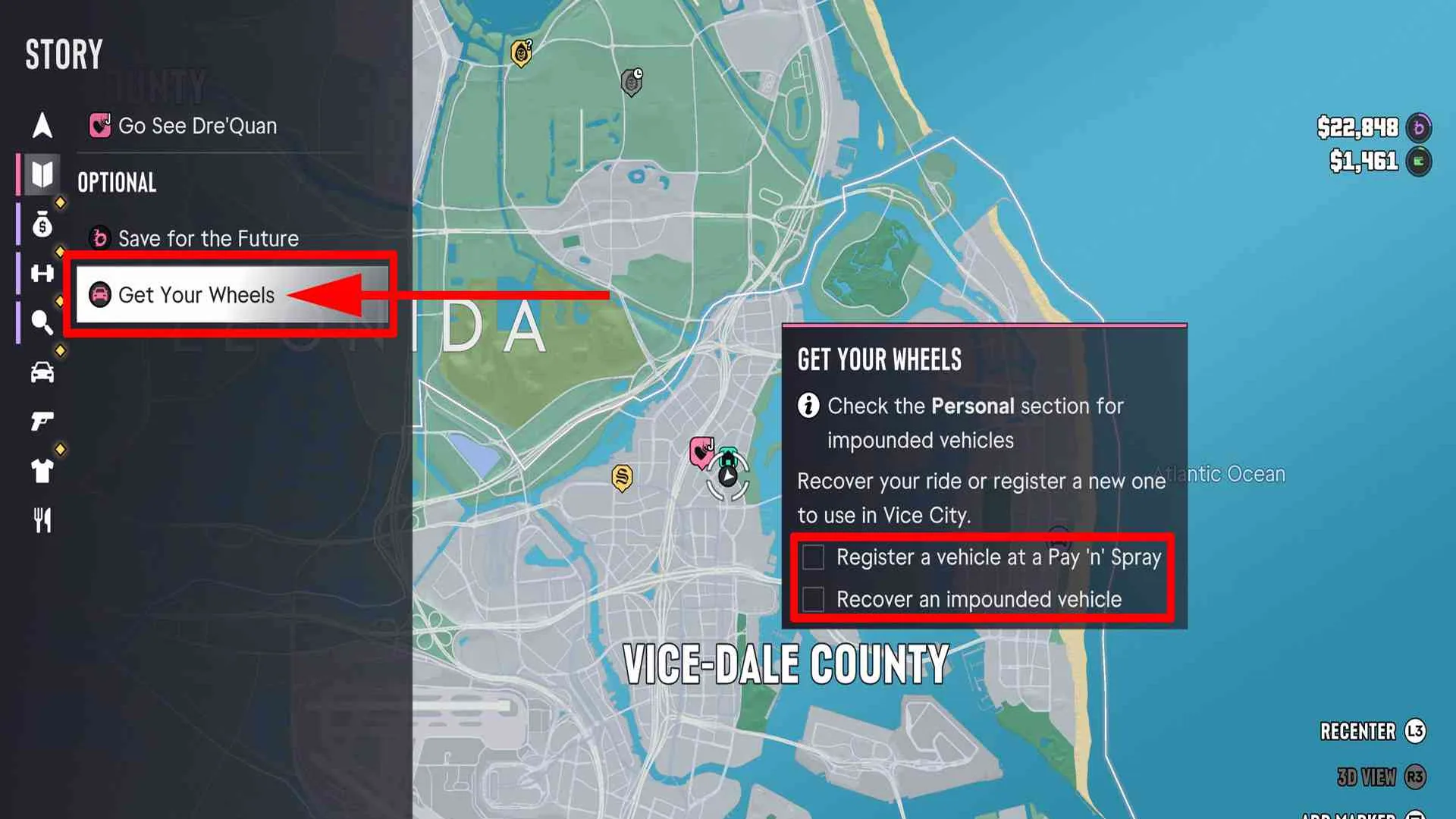
Get Your Wheels appears in the Story list right at the start of Chapter 3 after Welcome to Vice City settles Jason and Lucia into their Bayside apartment. Listed as an optional tutorial-style objective rather than a rigid linear cutscene, it makes sure you are not stranded on foot in Vice City after the Chapter 2 move.
You only need one active personal car on either protagonist to clear the entry, and the game gives you two clean ways to do it: pay Scooter Bros on your phone to recover an impounded ride, or register a fresh street car at a Pay ’n’ Spray using an open garage slot.
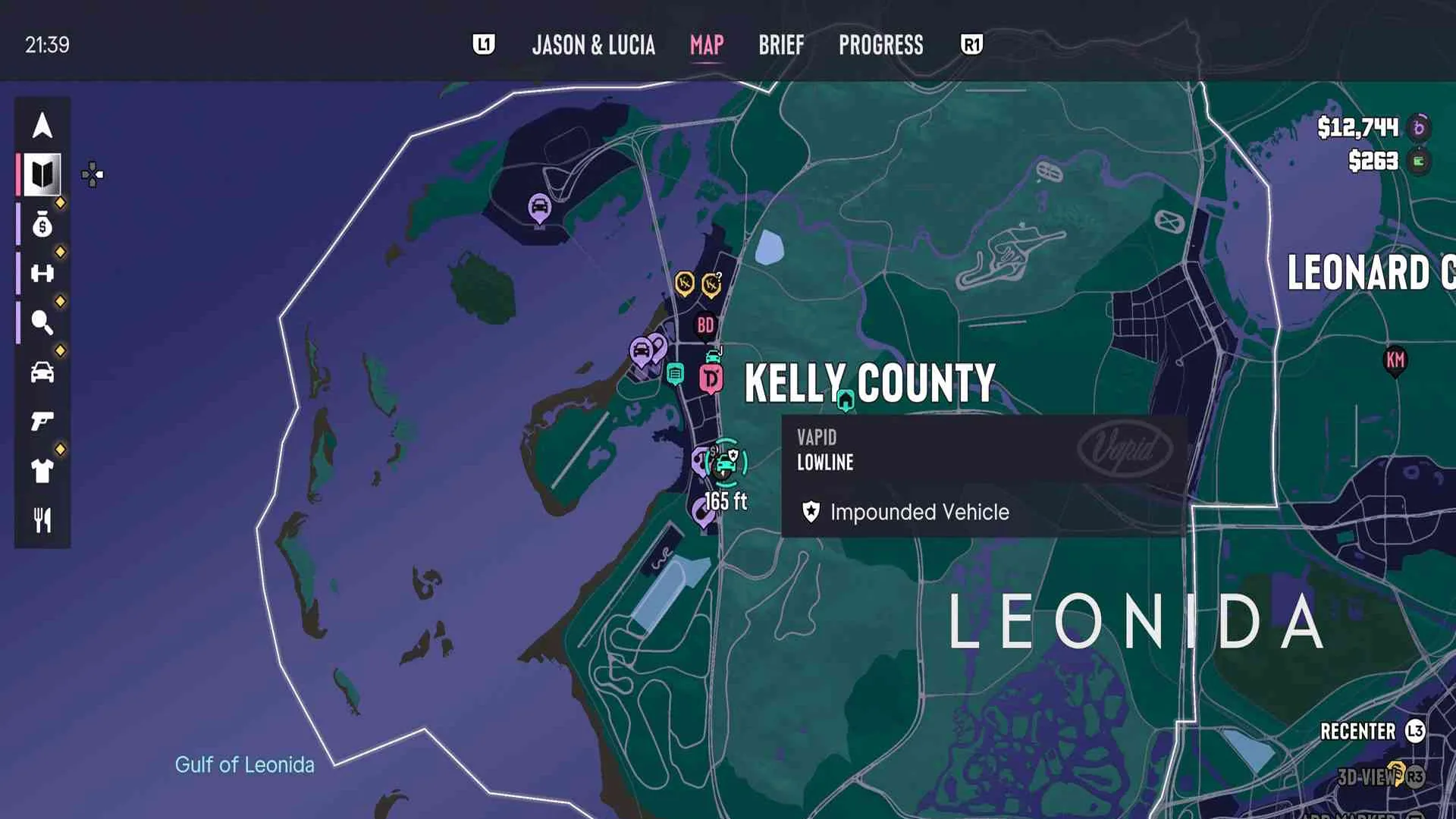
Option 1: Recover an impounded car through Scooter Bros
Using Scooter Bros is the fastest thirty-second fix if you already tuned a favorite Chapter 2 ride and just want it back outside Bayside 201 immediately.
- Open the pause map at the start of Chapter 3 and check the pink Story list to confirm Get Your Wheels is active.
- Press D-pad Up to pull out your phone, open the green Scooter Bros app, and inspect your owned vehicle list.
- Select a marked impounded car and pay the displayed recovery fee (or spend a daily credit if you bought the $12,500 membership) to have it delivered nearby.
Option 2: Scan and register a replacement at Pay ’n’ Spray
Avoid grabbing luxury cars equipped with an Advanced Tracker for this quick objective; Pay ’n’ Spray cannot register Advanced Tracker vehicles, and slowing down in one can alert police.
- Hold D-pad Up to open WAiNK and scan parked or passing Vice City cars with R1/RB to check their tracker status.
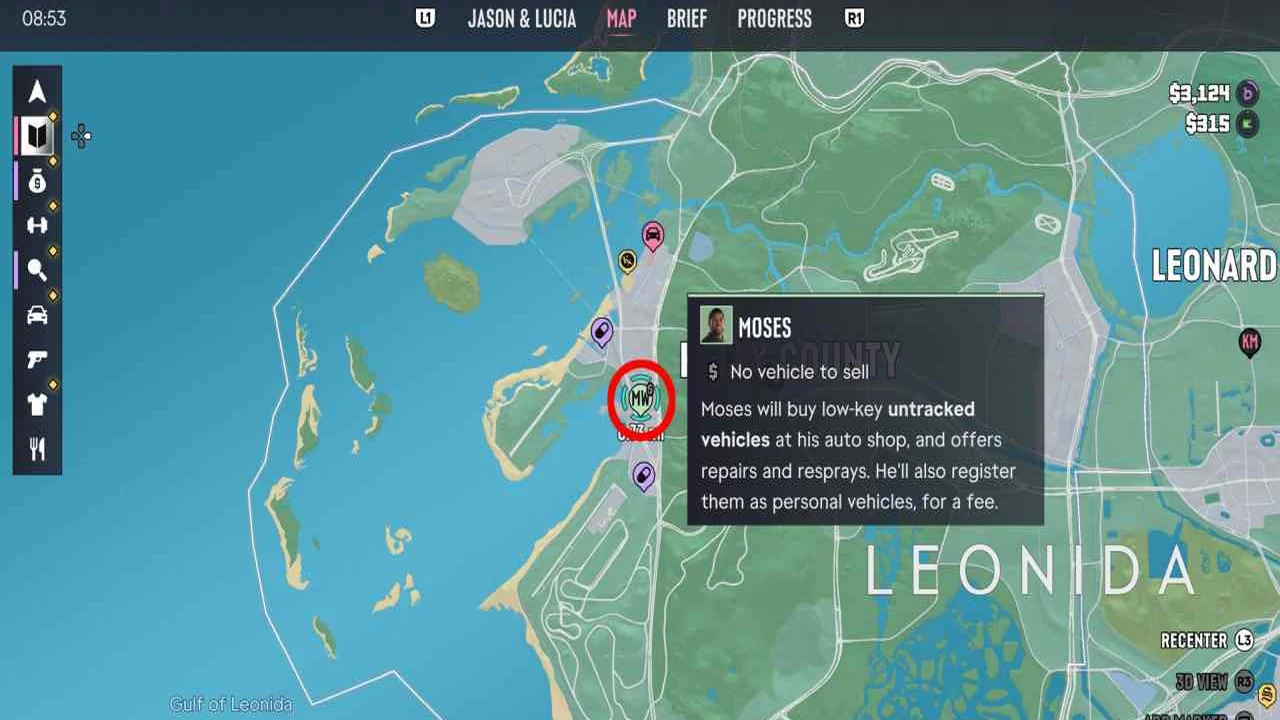
- Pick a car with no tracker, or one with a Standard Tracker once Moses’s Chapter 3 text unlocks expanded Pay ’n’ Spray services.
- Drive into a Pay ’n’ Spray with an open garage slot, apply a respray, and select Register to clear Get Your Wheels.
Maps & operation screenshots
Common questions
Why hasn’t this mission marker appeared on my map yet?
Make sure you are controlling either lead, step outside your safehouse into free roam, and check your phone (D-pad Up) for unread texts or pending calls after clearing the listed prerequisite.
Related pages →Does this optional job count toward 100% completion?
Yes. Finishing optional story and contact jobs advances the 100 Optional Tasks requirement on the 100% completion checklist, alongside any cash or gear unlocked during the run.
Related pages → Mission
 Mission
 Mechanic
 Mission