Transform any selfie, couple portrait, car, or pet photo into glamorous Grand Theft Auto VI Rockstar loading-screen artwork in ~20 seconds. Keeps your recognizable vibe while giving you a movie-star beauty, muscle & curves glow-up—2 free watermark-free HD downloads, no login.
~20s Fast RenderProtagonist Beauty & Body Glow-Up100% No WatermarkAuto Credit Refund
Free Guest Quota
2/ 2 left
Auto-refunded if failed · Instant HD download
01
Upload Your Photo
Click to upload, drag & drop, or press Ctrl+V to pasteJPG, PNG, or WebP · Selfies, couples, cars & pets work great
No photo handy? Try:
02
Choose GTA 6 Art Style
03
Aspect Ratio & Optional Details
OUTPUT CANVAS
Vice City Sunset Cover Art
Selected Style Reference
Vice City Sunset Cover Art
Upload your photo on the left and hit Generate — your custom GTA 6 Rockstar-style illustration will appear right here in ~20 seconds.
REAL AI OUTPUTS · DRAG SLIDERS TO INSPECT
Before & After GTA 6 AI Filter Showcase: Selfies, Couples, Cars & Pets
Every example below was rendered directly by our GTA 6 filter pipeline. Drag the comparison handle across any photo to see how everyday camera snapshots transform into crisp, painterly Rockstar loading-screen illustrations without losing facial likeness.
⇆
BEFOREGTA 6 FILTER
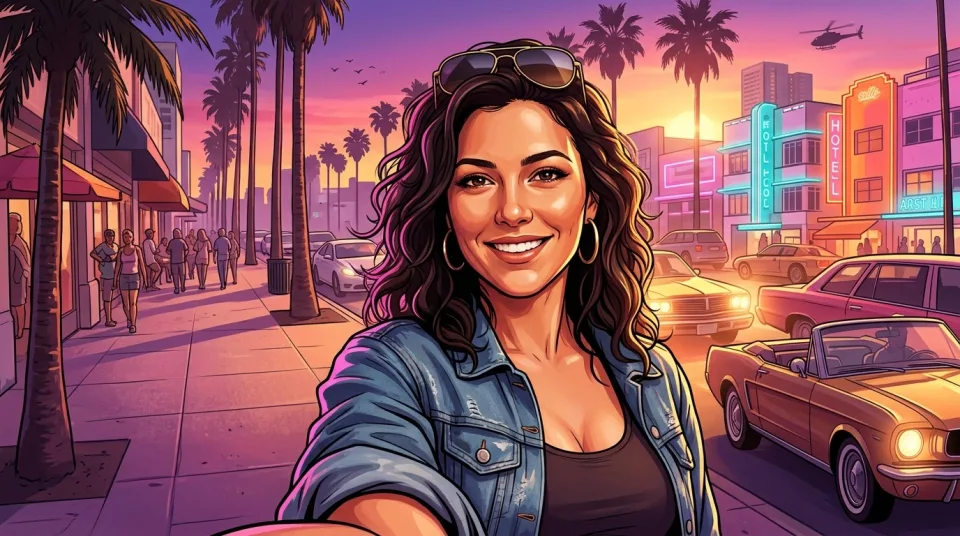
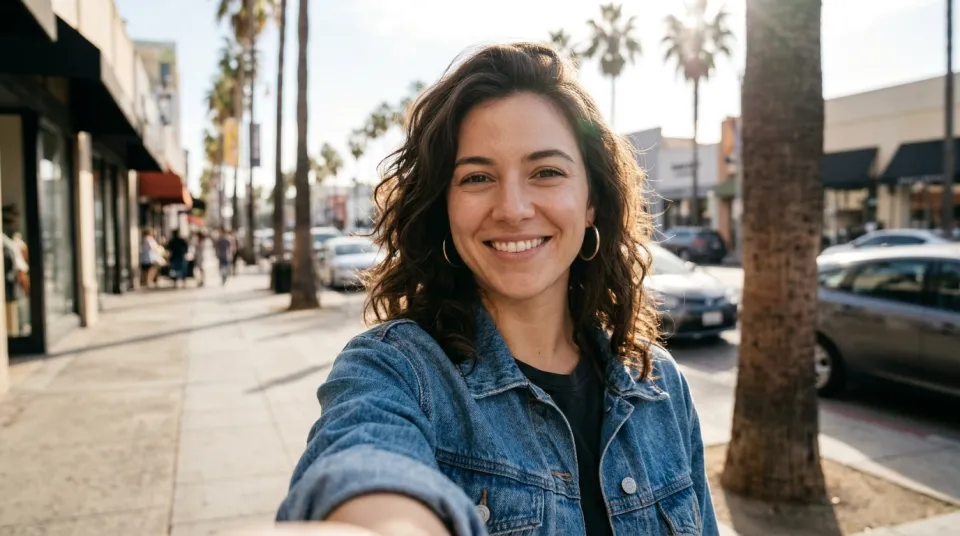
Portrait & Glamour Glow-UpVice City Sunset Cover Art · ~19s
Casual Sidewalk Selfie → Bombshell Vice City Cover Star
Keeps her recognizable smile and wavy hair while delivering a true Rockstar cover-girl glow-up—more alluring facial features, fuller glamorous curves, fitted jacket styling, and pink-gold Vice City sunset light.
Prompt Hint:Aviator sunglasses on head, glamorous fitted summer top under open denim jacket, Vice City sunset
⇆
BEFOREGTA 6 FILTER
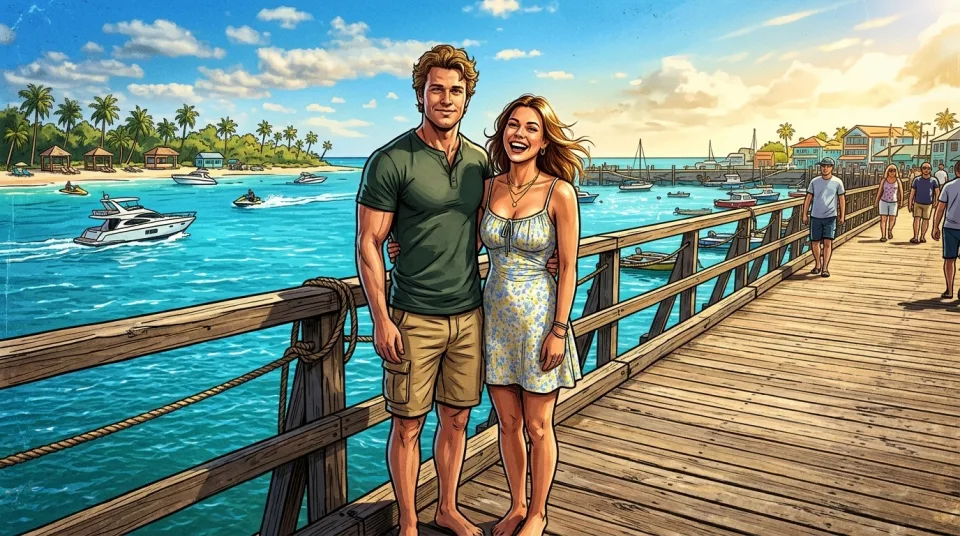
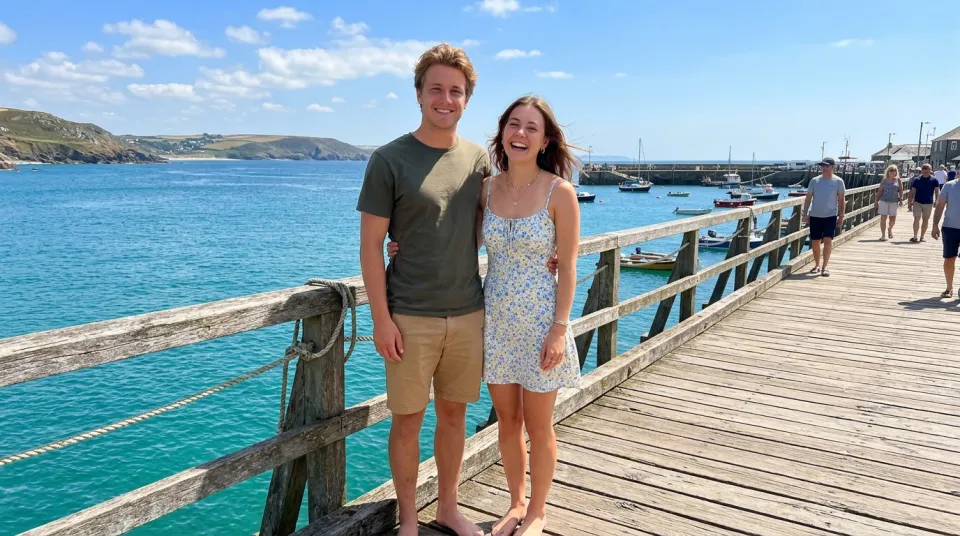
Couples & Physique UpgradeLeonida Character Spotlight · ~22s
Everyday Couple Photo → Sculpted Jason & Lucia Key Art
Transforms an ordinary vacation snapshot into charismatic GTA VI leads: broader shoulders and defined chest/arm muscles for him, fuller hourglass curves and sun-kissed glamor for her.
Prompt Hint:Athletic muscular build for him, glamorous curvy resort look for her, Leonida Keys speedboat marina
⇆
BEFOREGTA 6 FILTER
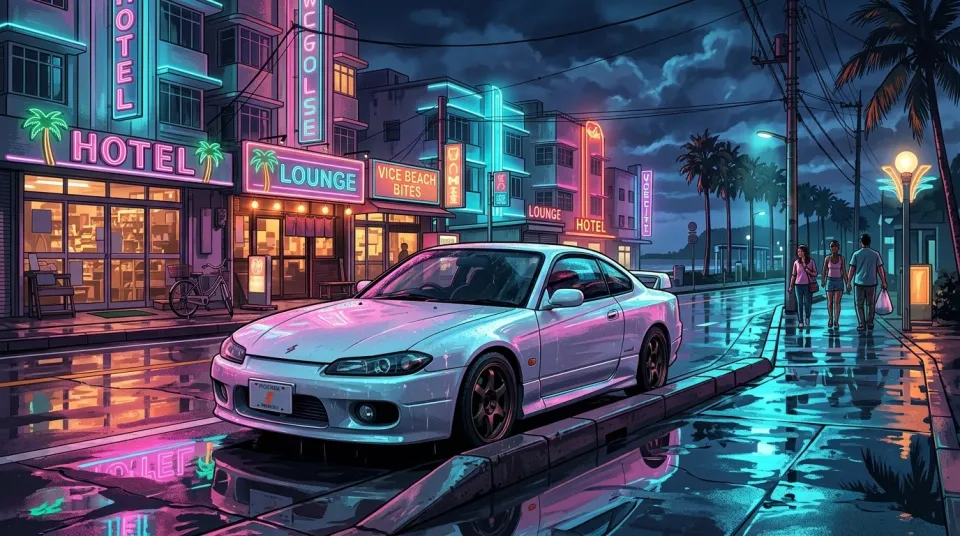
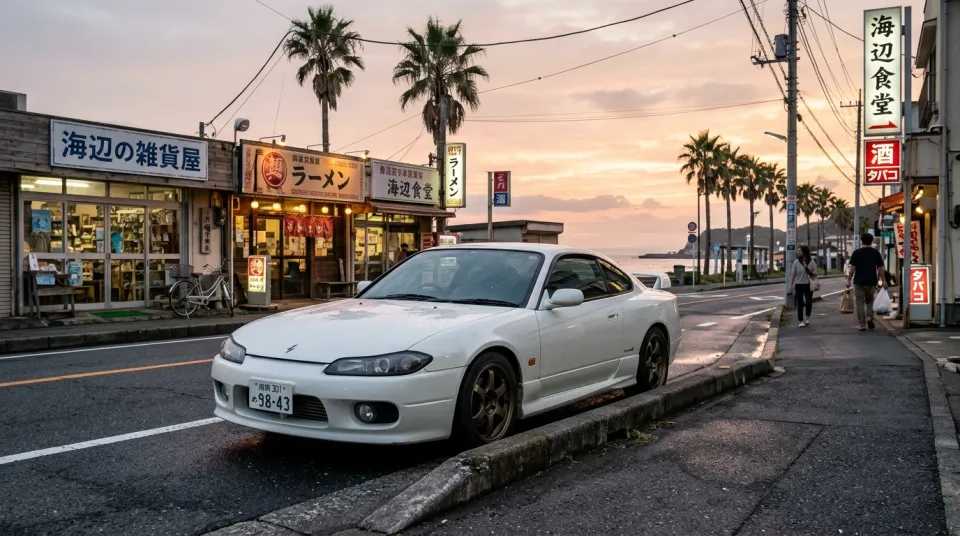
Cars & RidesOcean Drive Neon Night · ~21s
Parked Street Coupe → Ocean Drive Neon Poster
Turns an ordinary curbside car photo into a Vice Beach promotional poster with lowered stance, wet-asphalt reflections, glowing Art Deco hotels, and crisp body-panel linework.
Prompt Hint:Rain-slicked Ocean Drive neon hotel signs reflecting on car paint
⇆
BEFOREGTA 6 FILTER
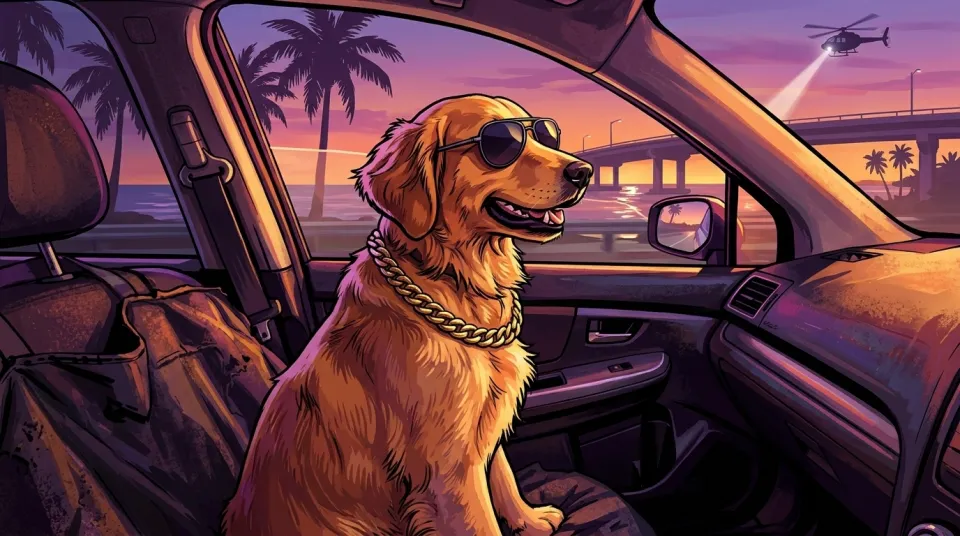
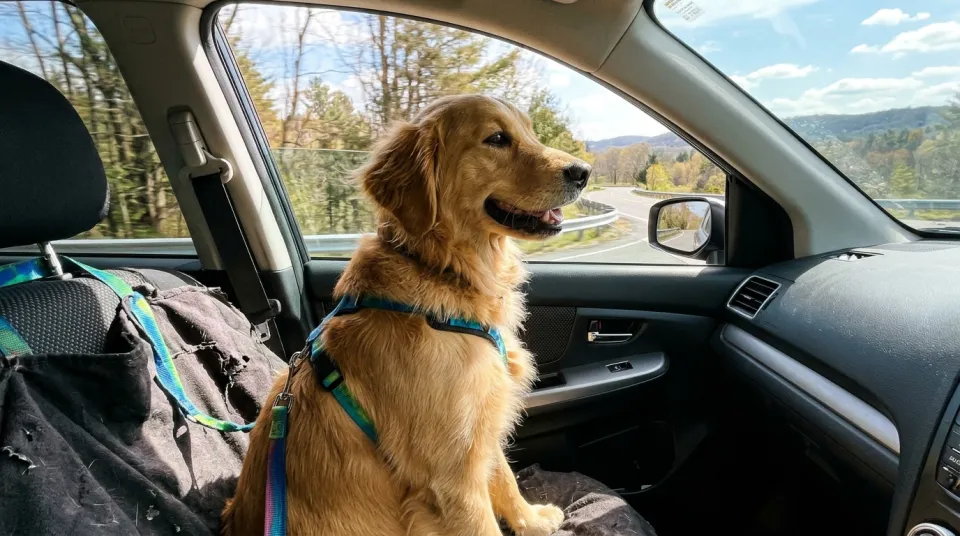
Pets & Companions6-Star Heist Cinema Frame · ~18s
Dog in Car Window → 6-Star Heist Getaway Crew
Works seamlessly on dogs and cats too—turning a golden retriever snapshot into a legendary GTA loading-screen sidekick complete with shades and chopper beams.
Prompt Hint:Wearing cool dark sunglasses and a gold chain collar
3-STEP WORKFLOW · ZERO EDITING SKILLS NEEDED
How to Turn Any Photo into GTA 6 Loading Screen Art in 3 Steps
No Photoshop layers, no Discord bot commands, and no mobile app paywalls. Convert photos directly in your mobile or desktop browser in under half a minute.
STEP 01
Upload Any Photo (No Account Needed)
Drop in a JPG, PNG, or WebP image—or press Ctrl+V / Cmd+V to paste directly. No studio lighting or model pose needed: ordinary casual selfies and phone snapshots get an automatic Rockstar glow-up.
Pro Tip:Half-body or waist-up framing gives the AI room to sculpt athletic shoulders, chest muscles, or glamorous hourglass curves!
STEP 02
Pick a GTA 6 Style, Ratio & Optional Physique/Outfit Vibe
Choose from 4 Grand Theft Auto VI aesthetics, select 1:1, 3:4, 16:9, or 9:16, and optionally click a quick tag to dial up Vice Beach curves, gym muscle definition, sunglasses, or exotic cars.
Pro Tip:Even with the optional box left blank, our built-in Rockstar protagonist beautification enhances facial charm and body proportions automatically.
STEP 03
Compare the Glow-Up & Download Watermark-Free HD Art
In ~20 seconds, drag the Before/After slider to see your stylized GTA 6 glow-up side by side with the raw photo, then save the clean high-resolution JPG with zero watermarks.
Pro Tip:Every guest gets 2 free HD generations—and failed upstream tasks are automatically refunded.
AUTHENTIC VICE CITY & LEONIDA ART DIRECTION
Inside Our 4 Grand Theft Auto VI Art Style Presets
What separates authentic Grand Theft Auto VI promotional art from generic cartoon filters? Rockstar’s illustrators combine anatomical realism with graphic ink contours, subsurface skin warmth, and saturated Vice City rim lighting. Explore how each preset adapts your photo:
Vice City Sunset Cover Art
Iconic Rockstar loading-screen illustration with glamorous protagonist glow-up, pink-gold sunset rim light & palm silhouettes
Best For:Selfies, solo portraits, glamorous social PFPs, and golden-hour lifestyle photos
6 Popular Ways Players & Creators Use the GTA 6 Filter
From custom gaming PFPs and high-CTR YouTube thumbnails to viral TikTok GTA loading-screen transitions, pick any use case below to pre-select its optimal aspect ratio and style.
Transform parking-lot shots of your ride into aggressive, neon-drenched Ocean Drive automotive illustrations.
3:4 Couple ArtLeonida Character Spotlight
Hot “Jason & Lucia” Couple & Fitness Duo Posters
Gives both partners the ultimate Rockstar lead treatment—sculpted athletic build for him, bombshell curves for her—against a tropical Leonida backdrop.
Pet Edition6-Star Heist Cinema Frame
Dogs, Cats & Pets as Legendary Vice City Sidekicks
Add aviator shades or a gold chain via the optional detail box to turn your furry companion into an iconic loading-screen boss.
Leaving the detail field blank produces a faithful restyle—but adding a concise 8-to-15-word Vice City prop cue elevates everyday snapshots into cinematic key art.
Female Selfie / Half-BodyVice City Sunset Cover Art
What is the GTA Filter and how does the GTA 6 AI generator work?
The GTA Filter reimagines everyday photos in the glamorous semi-realistic digital illustration style of Rockstar Games’ Grand Theft Auto VI loading screens and key art. Instead of stiffly tracing camera flaws 1:1, our AI preserves your recognizable vibe while giving you a true Vice City protagonist glow-up—more attractive facial symmetry, sun-kissed painterly skin, sculpted athletic muscle definition for men, and fuller glamorous curves for women.
Is this GTA 6 style image generator really free without logging in?
Yes. Every visitor can generate up to 2 high-definition GTA 6 style artworks completely free with zero account registration, no email verification, and no credit card required. If an AI task ever fails or times out upstream, our server automatically refunds that credit so you never lose a free turn.
Will it make me look hotter and fitter than my raw photo?
Yes—by design! Official Grand Theft Auto artwork always stylizes characters with movie-star charisma and heroic proportions. Our prompts automatically refine jawline and skin glow, enhance male chest/shoulder/arm musculature, and accentuate glamorous feminine bust and waist curves while keeping you recognizable.
What types of photos work best for the protagonist body & face glow-up?
Half-body or waist-up portraits, beach/summer snapshots, gym selfies, couple photos, parked cars, and pets all work brilliantly. Including your shoulders and upper torso in the frame gives the AI plenty of room to sculpt athletic muscles or glamorous Vice City curves!
Are downloaded GTA filter images watermark-free and high resolution?
Every generated artwork is completely free of watermarks or logos. You can download the crisp 1K high-definition image directly in one click and use it immediately for Discord/TikTok avatars, YouTube thumbnails, phone lockscreens, or desktop wallpapers.
How is GTA 6 art style different from GTA V or San Andreas filters?
While GTA San Andreas used flat, heavy black ink outlines and GTA V favored sunlit California green-gold tones, Grand Theft Auto VI introduces richer painterly skin transitions, sultry humid Vice City magenta-amber sunset gradients, Leonida Keys turquoise skies, and electric Ocean Drive neon reflections.
Is my uploaded photo private and safe?
Your privacy comes first. Uploaded photos are compressed locally in your browser, transmitted over HTTPS strictly to run your AI rendering job, and never published to any public gallery. Your recent creations list on the page is stored exclusively inside your own browser’s localStorage.
Which aspect ratio should I choose before generating?
Keep “Match Photo” if you want pixel-aligned framing in the Before/After comparison slider. Choose 1:1 for avatars, 3:4 for character posters and Xiaohongshu/Instagram posts, 16:9 for YouTube thumbnails and PC wallpapers, or 9:16 for lockscreens, TikTok, Reels, and Shorts.
How do I make the viral TikTok / Reels GTA loading screen video with my result?
Generate your portrait in 9:16 (vertical) or 16:9 (widescreen), download the HD artwork, import both your casual photo and your glamorous GTA 6 artwork into CapCut or Premiere, cut on the beat drop of a GTA theme track, and add a slow 1.08x zoom-in keyframe for the authentic Rockstar loading-screen motion effect.
Can I customize outfits, muscles, curves, or cars using the extra detail box?
Absolutely! Click any quick prompt tag in Step 03 or type concise cues like “fitted tank top showing muscular arms”, “glamorous bikini / summer dress”, “wearing gold aviator sunglasses”, or “pink convertible behind” to tailor your exact Vice City fantasy.
READY FOR VICE CITY?
Create Your Custom GTA 6 Loading Screen Portrait Now
Zero sign-up, zero watermarks, 2 free HD generations waiting right in your browser.