
Overview
Call Valentina Back is a brief mandatory story step near the end of Chapter 4, appearing shortly after VCIA Takedown and Tie Up Loose Ends. Rather than sending you to a shootout or stealth compound, it uses a phone callback to Valentina about the hard drive so the timeline can move forward into Sunset and Starting From Zero.
Either Jason or Lucia can make the call from free roam, and there is no missable failure state here. Still, because Sunset and Starting From Zero push Chapter 4 straight into its closing stretch, treat this phone objective as a natural checkpoint to bank loose cash and make a manual chapter backup save first.
Save a Chapter 4 backup before advancing the endgame timer
Late Chapter 4 also features the optional vault-robbery tutorial That’s Where The Money Is… alongside your post-heist cleanup. Taking two minutes to organize your save slots and checking capacity now keeps your Chapter 4 wrap-up tidy.
- After wrapping up VCIA Takedown, stay in free roam until Valentina calls to discuss the hard drive.
- Before returning her call, check your cash balance in BuckMe and create a manual backup slot via Pause → Game → Save Game if you want a late-Chapter 4 save.
Dial Valentina and track Sunset in the Story list
If Valentina does not appear at the top of your recent contacts right away, make sure you are standing outside an active shop menu or interior interaction so phone calls are unrestricted.
- Press D-pad Up on either Jason or Lucia to open the phone, go into Contacts, and call Valentina.
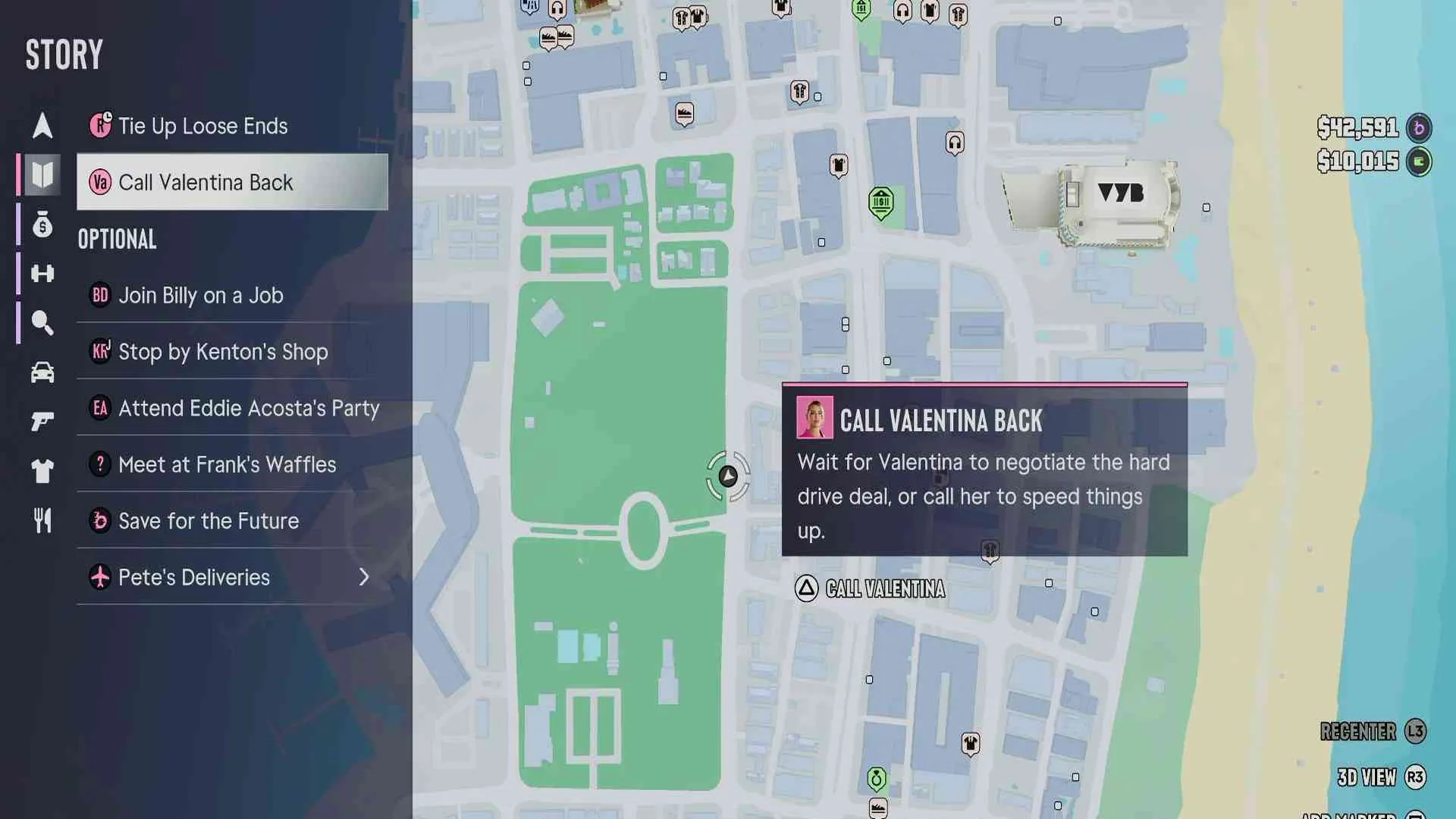
- Alternatively, open the pause map, switch to the pink Story list, and select Call Valentina Back directly to trigger the conversation.
- Let the phone dialogue finish, then reopen Map → Story to confirm that the waiting window for Sunset has advanced and marked your next stop.
Maps & operation screenshots
Common questions
Why hasn’t this mission marker appeared on my map yet?
Make sure you are controlling either lead, step outside your safehouse into free roam, and check your phone (D-pad Up) for unread texts or pending calls after clearing the listed prerequisite.
Related pages →Can I replay this story mission later without restarting the campaign?
Story missions do not have a standalone replay menu from the pause screen. Write a manual backup save before major chapter beats if you want to revisit specific story set-pieces.
Related pages → Mission